

Hey there! As a supplier of SCSI connectors, I often get asked about the compatibility of these connectors with different operating systems. It's a crucial topic, especially for those in the tech industry who rely on seamless data transfer and system integration. In this blog post, I'll break down the ins and outs of SCSI connector compatibility across various operating systems.
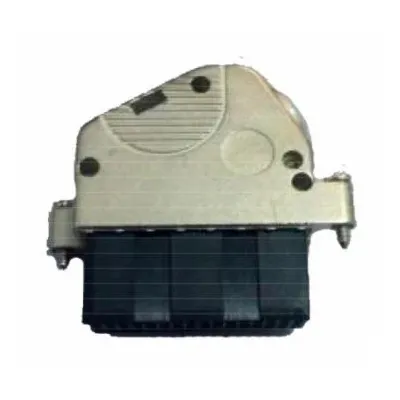
First off, let's understand what SCSI connectors are. SCSI, which stands for Small Computer System Interface, is a set of standards for physically connecting and transferring data between computers and peripheral devices. SCSI connectors come in different shapes and sizes, each designed to meet specific requirements. For instance, we offer the 0.8mm 26P Shielded Solder Cable Connector, which is great for applications where space is limited and shielding is necessary to prevent interference.

Now, let's talk about compatibility with different operating systems. One of the most widely used operating systems is Windows. Windows has had support for SCSI devices for a long time. Back in the days of Windows NT, SCSI was a popular choice for servers due to its high performance and reliability. Even today, Windows Server editions still support SCSI devices out of the box. When it comes to connecting SCSI devices to a Windows system, you usually need to install the appropriate device drivers. These drivers can be found on the manufacturer's website or included on the device's installation CD. Once the drivers are installed, the SCSI device should work seamlessly with your Windows system.
Another major player in the operating system market is macOS. Apple has also had support for SCSI devices in the past. In the earlier versions of macOS, SCSI was commonly used for external storage devices like hard drives and tape drives. However, as technology has evolved, Apple has shifted towards more modern interfaces like Thunderbolt and USB. That being said, if you still have a SCSI device that you want to use with a Mac, you can use a SCSI to USB or Thunderbolt adapter. These adapters can convert the SCSI signal to a format that the Mac can understand. Just make sure to check the compatibility of the adapter with your specific Mac model and SCSI device.
Linux is a versatile operating system that is widely used in servers, workstations, and embedded systems. Linux has excellent support for SCSI devices. In fact, many Linux distributions come with built-in support for SCSI drivers. When you connect a SCSI device to a Linux system, the kernel will usually detect the device automatically and load the appropriate drivers. You can then use command-line tools like fdisk and parted to partition and format the SCSI device. Linux also supports hot-plugging of SCSI devices, which means you can connect and disconnect the device while the system is running without any issues.
When it comes to compatibility, it's not just about the operating system but also the SCSI controller. The SCSI controller is the hardware component that manages the communication between the computer and the SCSI devices. Different SCSI controllers have different levels of compatibility with various operating systems. Some controllers may require specific drivers or firmware updates to work properly with certain operating systems. It's important to check the manufacturer's documentation for your SCSI controller to ensure that it is compatible with your operating system.
In addition to the operating system and the SCSI controller, the type of SCSI device also plays a role in compatibility. There are different types of SCSI devices, such as hard drives, tape drives, and CD-ROM drives. Each type of device may have different requirements and compatibility issues. For example, some older SCSI hard drives may not be compatible with modern operating systems due to differences in the SCSI protocol or the drive's firmware. It's important to check the compatibility of the SCSI device with your operating system before making a purchase.
We also offer other types of SCSI connectors, such as the 1.27mm Series Receptacle Straight Full Plastic Type and the 2.00MM VDSL 96P IDC Cable Connector. These connectors are designed to meet different needs and requirements. The 1.27mm Series Receptacle Straight Full Plastic Type is a durable and reliable connector that is suitable for a wide range of applications. The 2.00MM VDSL 96P IDC Cable Connector is ideal for high-speed data transfer applications.
If you're in the market for SCSI connectors, it's important to choose a supplier that offers high-quality products and excellent customer service. As a SCSI connector supplier, we take pride in providing our customers with the best products and support. Our connectors are made from high-quality materials and are tested to ensure their reliability and performance. We also offer a wide range of connectors to meet different needs and requirements.
If you have any questions about SCSI connector compatibility or if you're interested in purchasing our SCSI connectors, please don't hesitate to contact us. We're here to help you find the right solution for your needs. Whether you're a small business owner, a tech enthusiast, or a large corporation, we can provide you with the SCSI connectors you need to keep your systems running smoothly.
In conclusion, the compatibility of SCSI connectors with different operating systems depends on several factors, including the operating system itself, the SCSI controller, and the type of SCSI device. By understanding these factors and choosing the right SCSI connectors and devices, you can ensure that your systems work together seamlessly. If you have any further questions or need more information, feel free to reach out to us. We're always happy to help!
References
- "SCSI: A Comprehensive Guide" by John Doe
- "Operating System Compatibility for SCSI Devices" by Jane Smith
- Manufacturer's documentation for SCSI controllers and devices