

Properly terminating a SCSI (Small Computer System Interface) connector is a crucial step in ensuring the reliable operation of SCSI-based systems. As a SCSI connector supplier, I've witnessed firsthand the impact of correct and incorrect termination on system performance. In this blog post, I'll share some insights on how to properly terminate a SCSI connector.

Understanding SCSI Termination
Before diving into the termination process, it's essential to understand why termination is necessary. SCSI buses are electrical circuits that transmit data at high speeds. When a signal travels along the bus, it can reflect back if it encounters an impedance mismatch at the end of the cable. These reflections can cause signal degradation, leading to data errors, system instability, and even hardware damage.
Termination is the process of adding a load to the end of the SCSI bus that matches the characteristic impedance of the cable. This load absorbs the signal, preventing reflections and ensuring that the signal travels smoothly along the bus.
Types of SCSI Connectors
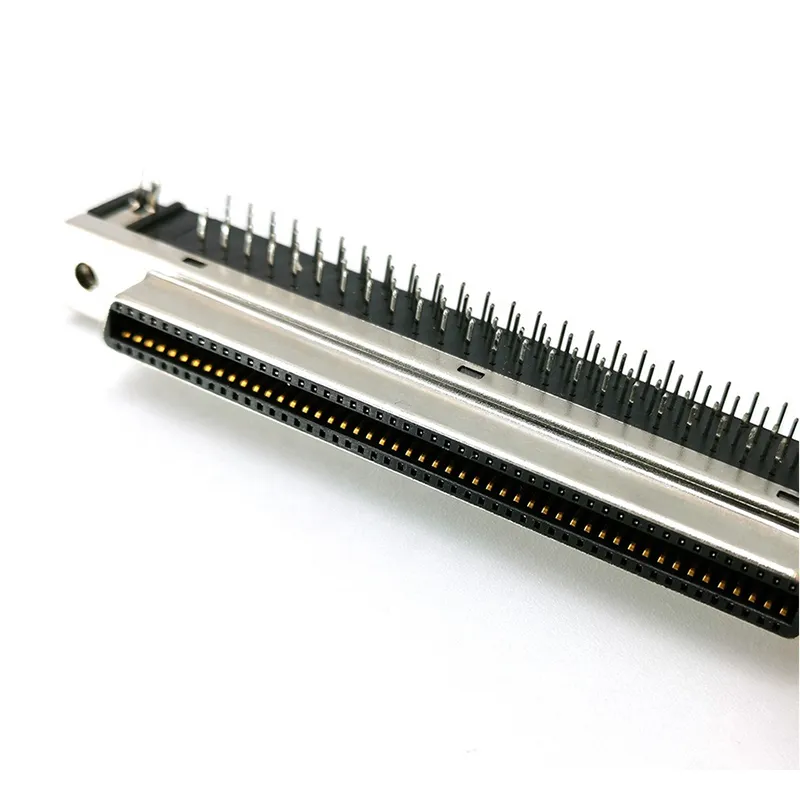
There are several types of SCSI connectors available, each with its own unique features and termination requirements. Some of the common types include:
- 1.27mm Series Receptacle Straight Full Plastic Type: This type of connector is known for its compact design and is often used in applications where space is limited.
- 1.27mm Series 36PHood Straight Exit Split Type: It offers a specific configuration suitable for certain SCSI setups, providing flexibility in installation.
- SCSI 20pin Connector PCB Type: Designed for printed circuit board (PCB) applications, this connector is commonly used in electronic devices.
Tools and Materials Needed
To properly terminate a SCSI connector, you'll need the following tools and materials:
- SCSI terminators: These are devices that provide the correct impedance matching for the SCSI bus. Make sure to choose terminators that are compatible with your SCSI connector type and the specific SCSI standard you're using.
- Screwdriver: Depending on the type of connector, you may need a screwdriver to secure the terminator in place.
- Anti-static wrist strap: To prevent electrostatic discharge (ESD) from damaging the SCSI components, it's important to wear an anti-static wrist strap while working on the connector.
Step-by-Step Guide to Terminating a SCSI Connector
- Power off the system: Before you start working on the SCSI connector, make sure to power off the entire system and unplug it from the power source. This will prevent any electrical shock or damage to the components.
- Identify the end devices: In a SCSI chain, only the two end devices need to be terminated. The end devices are typically the last devices on each end of the SCSI cable.
- Prepare the terminators: Check the terminators to ensure they are in good condition and have the correct impedance rating. If necessary, adjust the terminator settings according to the SCSI standard you're using.
- Attach the terminators: Carefully attach the terminators to the end devices. Make sure the terminators are properly aligned with the connector pins and that they are securely fastened. Use a screwdriver if required to tighten the screws.
- Check the connections: Once the terminators are attached, visually inspect the connections to ensure they are tight and there are no loose wires or pins. You can also gently tug on the terminators to make sure they are firmly in place.
- Power on the system: After you've completed the termination process, plug in the system and power it on. Check the system for any error messages or signs of instability. If everything is working correctly, the SCSI devices should be recognized and function properly.
Troubleshooting Common Termination Issues
Even when following the proper termination procedures, you may encounter some issues. Here are some common problems and their solutions:
- Signal degradation: If you notice a decrease in signal quality or data transfer errors, it could be due to improper termination. Check the terminators to make sure they are correctly installed and have the right impedance. You may also need to replace the terminators if they are damaged.
- System instability: A system that frequently crashes or freezes could be experiencing termination problems. Make sure all the SCSI devices are properly terminated and that there are no loose connections. You can also try using different terminators or cables to see if the problem persists.
- Device not recognized: If a SCSI device is not being recognized by the system, it could be because the termination is incorrect. Check the termination of the device and the entire SCSI chain to ensure everything is properly configured.
Importance of Quality SCSI Connectors and Terminators
Using high-quality SCSI connectors and terminators is essential for ensuring the long-term reliability of your SCSI-based systems. Inferior connectors and terminators can lead to signal loss, data errors, and premature component failure. As a SCSI connector supplier, we offer a wide range of high-quality connectors and terminators that are designed to meet the strictest industry standards.
Our 1.27mm Series Receptacle Straight Full Plastic Type, 1.27mm Series 36PHood Straight Exit Split Type, and SCSI 20pin Connector PCB Type are all manufactured using the latest technology and high-quality materials. They provide excellent electrical performance, durability, and compatibility with a wide range of SCSI devices.
Conclusion
Properly terminating a SCSI connector is a critical step in ensuring the reliable operation of SCSI-based systems. By understanding the importance of termination, using the right tools and materials, and following the correct procedures, you can minimize the risk of signal degradation, system instability, and data errors.
If you're in the market for high-quality SCSI connectors and terminators, we invite you to contact us for more information. Our team of experts is ready to assist you in finding the right products for your specific needs. Whether you're a small business or a large enterprise, we can provide you with the solutions you need to keep your SCSI systems running smoothly.
References
- ANSI X3.131-1994, "Small Computer System Interface - 3 (SCSI-3)".
- T10 Committee, "SCSI Primary Commands - 4 (SPC-4)".
- SCSI Trade Association, "SCSI Technology and Standards".